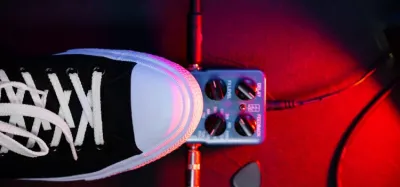
You bought a distortion pedal, plugged it in, and the tone came out fizzy and muddy instead of heavy. That’s almost always a settings or placement problem, not the pedal.
Three knobs do most of the work. Gain, tone, and level are the same controls that shaped the heavy sounds you grew up hearing.
Get them wrong and it shows fast. Too much gain turns chords to mush, and too little leaves the pedal doing nothing.
I’ve run plenty of distortion pedals over the years, and this guide covers how to dial yours in and where it belongs in your chain. First, let’s look at what a distortion pedal is actually doing to your signal.
What a Distortion Pedal Actually Does
A better way to ask this is: how does a distortion pedal circuit work? The short answer is that it deliberately clips your guitar’s signal to create what’s technically called harmonic distortion.
When guitarists refer to “distortion,” they mean what happens when a gain stage is asked to create a bigger version of a signal than it has the capacity for. As the signal gets too big for the device’s boundaries, the top and bottom of the waveform get clipped off.
That change to the shape of the waveform is what makes it sound different - rounder and warmer at lower gain, harsh and aggressive as gain increases.
A distortion pedal does two main things at once. It adds harmonic content and sustain to your signal, and it can boost the overall level going into your amp.
Exactly how much it boosts depends on the volume, output, and level settings, which is why the final tone is really a combination of the pedal, your guitar, and your amplifier working together.
Distortion vs. Overdrive vs. Fuzz
There’s a lot of confusion between distortion and other similar effects like a fuzz pedal and overdrive in front of the amp. The terms get used interchangeably, but they’ve real differences in how much they alter your signal and how they respond to your playing.
Overdrive
Overdrive is the mildest of the three. Most overdrive pedals are built to recreate the sound of a traditional tube amp pushed loud, producing the warm harmonics and overtones those amps generate when driven hard.
A good overdrive offers a wide range, from a subtle breakup to a noticeable crunch, and it responds strongly to your guitar amp settings and picking dynamics. Overdrives are ideal for rich, warm tones rather than aggressive ones, which makes them a favorite for classic rock and blues.
If that’s your style, here’s some great distortion for classic rock too.
Distortion
A distortion effect produces roughly the same amount of clipping at any volume, and its tonal alterations are far more pronounced and intense than overdrive. In general, distortion generates much more crunch and high gain.
These pedals usually have multiple gain stages, with the highest stages delivering extreme breakup and long sustain. Many include a boost circuit so you can step forward sonically for solos.
Hard rock and metal players gravitate toward distortion because of the aggressive, high-gain tones it produces.
Fuzz
A fuzzbox is the most extreme of the three. It alters the signal until it’s nearly a square wave, then adds complex overtones with a frequency multiplier.
The result is thick, woolly, and saturated - a very different character from the tighter response of distortion or overdrive.
Still deciding which path to take? Here’s a deeper look at whether you should get a distortion or overdrive pedal.
How to Connect a Distortion Pedal to Your Amp
Before you can dial anything in, you’ve to wire the pedal up, and that takes nothing more than two cables and a power source. The signal flows in one direction - guitar to pedal to amp - so the standard hookup is quick once you know which jack is which.
Here’s the basic front-of-amp method, which is the one to use first:
- Turn the amp’s volume down. Plugging into a live rig causes loud pops that are hard on your speaker.
- Power the pedal. Install a 9V battery or plug in a matching center-negative DC adapter. Check the polarity sticker on the pedal first, because the wrong supply can stop it working or even damage it.
- Guitar to the pedal’s input. Run one cable from your guitar into the pedal’s input jack (usually labeled “In,” on the right as you face the knobs).
- Pedal output to the amp. Run a second cable from the pedal’s output jack (“Out”) into the front input of your amp.
- Set the amp clean, then test. Select a clean channel, raise the volume, and press the footswitch. You should hear the distortion kick in.
Stomp it off and on to confirm the bypass works.
A 9V battery powers most distortion pedals just fine, but a dedicated power supply is more convenient day to day and becomes essential once you’ve got several pedals to run. If your amp has an effects loop, you can also wire the pedal there - run the amp’s Send jack to the pedal’s input and the pedal’s output back to the amp’s Return - but distortion almost always sounds better in front of the amp, so treat the loop as an experiment rather than the default.
If you ever get no sound at all, check power first: a dead battery or unplugged adapter is the most common culprit. After that, make sure the cables aren’t swapped (guitar to In, amp to Out), confirm the pedal is engaged with its LED lit, and rule out a faulty cable by swapping in one you know works.
How to Dial In Distortion Pedal Settings
Most distortion pedals share three core controls: gain (sometimes labeled drive or distortion), tone, and level (or volume). Getting a usable sound is mostly about understanding what each one does and starting from a sensible baseline.
| Control | What it does | Where to start |
|---|---|---|
| Gain / Drive | Sets how hard the signal is clipped, from light crunch to full saturation | Noon, then adjust to taste |
| Tone / EQ | Shapes brightness; clockwise adds treble and cut, counter-clockwise warms it up | Noon |
| Level / Volume | Sets the pedal’s output into the amp; controls how much it boosts | Match your clean volume, then nudge up |
Start with all three knobs at noon and play. If the tone is muddy or undefined, back off the gain.
If it sounds thin or harsh, lower the tone control. The level knob should be set so that switching the pedal on doesn’t cause a big volume jump or drop, unless you specifically want a boost for solos.
The single most common mistake is using too much gain. Excess gain washes out note definition and adds noise.
Roll the gain back further than feels natural and you’ll usually find the chords ring out clearer and the pedal cleans up better when you ease off your pick.
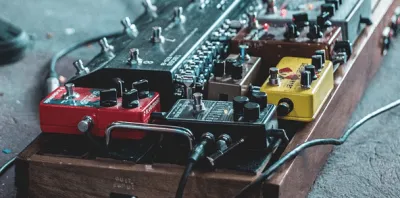
Where to Place Distortion in Your Pedal Chain
This is a tough one because it genuinely depends on your preference. There are a lot of variables: what other guitar pedals you own, which distortion you’re using, and the style of music you play.
Honestly, the best way to settle it’s to take a few hours and try a number of different pedalboard configurations to hear what sounds best to you. There are no hard rules.
As a starting point, gain effects like distortion usually sit early in the chain - after your tuner, wah, and compressor, but before modulation, delay, and reverb. Placing distortion before time-based effects keeps your delays and reverbs clean and natural instead of smearing the distortion across every repeat.
For more on chain order and routing, see the best order for pedals on a pedalboard and how overdrive behaves in an effects loop.
Pedal Distortion vs. Amp Distortion
Whether you get your dirt from a pedal or from the amp itself is another matter of taste, not right or wrong. Many players prefer their distortion to come from the amp, gravitating toward tube amps with a decent amount of gain in the preamp section, because a clean amp pushed to the edge of breakup by a pedal can sound different from an amp breaking up on its own.
That said, plenty of pedals sound excellent pushing an amp into breakup, and a good distortion pedal is a reliable way to recreate your core tone if your main amp is ever out of service. For a full breakdown, read distortion pedal vs. amp distortion and whether a distortion pedal counts as a preamp.
What Distortion Pedals the Greats Use
If you’re chasing a particular sound, it helps to know what some legendary players reached for. Here are a few classic pairings:
- Kurt Cobain - Pro Co RAT Distortion Pedal
- Slash - MXR M104 Distortion+
- Joe Satriani - Vox Joe Satriani Satchurator Distortion
- Randy Rhoads - MXR M104 Distortion+
- Dimebag Darrell - MXR Dime Distortion Pedal
These are reference points, not rules. Your guitar, pickups, and amp shape the final sound as much as the pedal does, so treat these as a starting place rather than a guarantee of someone else’s tone.
What to Look For When Choosing a Distortion Pedal
Feedback from other players is useful, but the most important factor is what you’ll actually use the pedal for. Be honest about your needs: the right choice depends heavily on the type of distortion pedal that suits your playing.
Players want different kinds of distortion. The core purpose is simple - to make your guitar or bass sound better for your music - so once you know what distortion you need, you can search for the specific character that works best for your instrument and genre.
Many players struggle to define the sound they want at first, and that’s normal. Whether you’re a seasoned pro or a beginner looking at guitar pedals, expect to experiment with several pedals before one clicks.
It’s also worth considering analog versus digital. Many players prefer analog distortion because it doesn’t require digital conversion, while others value the flexibility of digital units.
Neither is automatically better - choose the one that makes the best sound for you and your instrument together. Look for the features you actually require and don’t settle for less.
While you’re at it, a related effect worth exploring for expressive lead tones is a good wah pedal.
Which Distortion Pedal I Recommend
I’m not alone in this, because it’s a very popular pedal - the Ibanez Tube Screamer is my go-to. There are arguably better-sounding boutique options out there if you’re willing to spend, but for all-around versatility and value, this is the one I keep coming back to.
The price is hard to beat too.
Click here to check out the Ibanez Tube Screamer
Frequently Asked Questions
Can you use distortion and overdrive together?
Yes, and it’s a popular technique. A common approach is to run an overdrive into a distortion (or into a high-gain amp) to tighten the low end and add a little extra push for solos.
Experiment with which one comes first, since stacking them in different orders produces noticeably different results.
Should a distortion pedal go in the effects loop?
Usually no. Distortion is a gain effect and almost always belongs in front of the amp, in the same way overdrive does.
Effects loops are designed for time-based effects like delay and reverb.
For more on this, see how overdrive behaves in an effects loop.
Is a distortion pedal the same as a preamp?
Not exactly. A distortion pedal shapes and clips your signal before it hits the amp, which overlaps with what a preamp does, but it isn’t a full preamp replacement.
The distinction matters when you’re routing into different inputs or a loop, and we cover it in detail in is a distortion pedal a preamp?
Do you need a distortion pedal if your amp has gain?
Not strictly. If your amp already has a high-gain channel you love, you may not need one.
A pedal is most useful when you want a different flavor of dirt, a consistent tone across multiple amps, or a footswitchable boost for leads. Whether one is essential really comes down to whether distortion pedals are necessary for your setup.
Why is my distortion pedal not making any sound?
The most common culprit is power, so check that first - a dead battery or a disconnected adapter will silence the pedal entirely. Next, make sure the cables are in the right jacks, since plugging the guitar into the output and the amp into the input is an easy mistake that leaves you with a weak signal or none at all.
After that, confirm the pedal is actually engaged (the LED should be lit), the amp is on a working channel with the volume up, and your cables aren’t faulty. Swapping in a cable you know works is the fastest way to rule out a bad wire.
Do you need a power supply or will a battery work?
Both work. A 9V battery powers most distortion pedals just fine and is the simplest option for a single pedal on its own.
A dedicated power supply is more convenient for everyday use because you never risk a battery dying mid-song, and it becomes essential once you’re running several pedals at once. Just make sure any adapter matches the voltage and center-negative polarity your pedal requires.
Any amp with a standard 1/4-inch input will accept the pedal up front, whether it’s tube, solid-state, or a modeling amp - though if you want the ideal pairing, see our guide to the best amps for distortion pedals.
Final Thoughts
Using a distortion pedal well comes down to a few fundamentals: understand that it works by clipping your signal, start your gain, tone, and level controls around noon, and place the pedal early in your chain before your time-based effects. From there it’s all about experimenting until the tone fits your guitar, amp, and the music you play.
Finding the right pedal matters as much as how you set it. Take into account the type of guitar you use and the tonal range you want, and remember that the difference between overdrive and distortion - magnitude, range, and how aggressively each clips - should guide your choice.
Those simple considerations will help you land on a pedal that produces the tones you’re after at a price you can afford.
If you’re just getting started, grab something affordable and proven like the Ibanez Tube Screamer, learn how its controls interact, then branch out as your ear develops. The gear is only a tool - the real magic is in your hands.