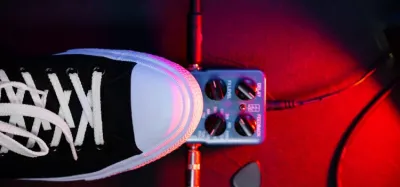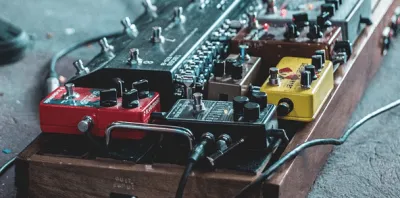
You want to stack a guitar part over itself and play along, and two very different tools promise to do it. One sits on the floor by your amp, the other lives inside your laptop.
A stompbox keeps your hands free and your eyes on the room. Ableton Live trades that for serious editing power, as long as you don’t mind being tethered to a screen.
So the real question is where you make music and how much control you want. Stage simplicity and studio depth pull in opposite directions here.
This article weighs both tools on workflow, price, and stage use. First, what’s a loop pedal?
Quick Comparison
| Category | Loop Pedal | Ableton Live | Winner |
|---|---|---|---|
| Speed and simplicity | Looping in seconds | Setup and a learning curve | Loop Pedal |
| Hands-free control | Foot-controlled by design | Needs hands or a controller | Loop Pedal |
| Editing depth | Record, overdub, clear | Full edit, arrange, produce | Ableton Live |
| Stage reliability | Rugged, no computer | A laptop is a failure point | Loop Pedal |
| Cost to start | One affordable pedal | License plus audio interface | Loop Pedal |
| Songwriting power | Loops only | Complete songs | Ableton Live |
| Overall | Performing and jamming | Recording and producing | Depends |
What Is a Loop Pedal?
A loop pedal is a stompbox that lets you record a short performance and play it back on repeat while you layer new parts on top. You record a chord progression, hit the pedal again, and then solo or sing over your own backing in real time.
Because everything is controlled with your foot, your hands stay free for the guitar. That makes a loop pedal a favorite for solo performers who want to sound like a full band on stage.
If you’re new to the format, our guide to how loop pedals work walks through the signal flow in plain English, and what a loop pedal is covers the basics from scratch.
What Is Ableton Live?
Ableton Live is a music production application developed by Ableton AG. It was first released in 1999 and has grown into one of the most widely used digital audio workstations (DAWs) in the world.
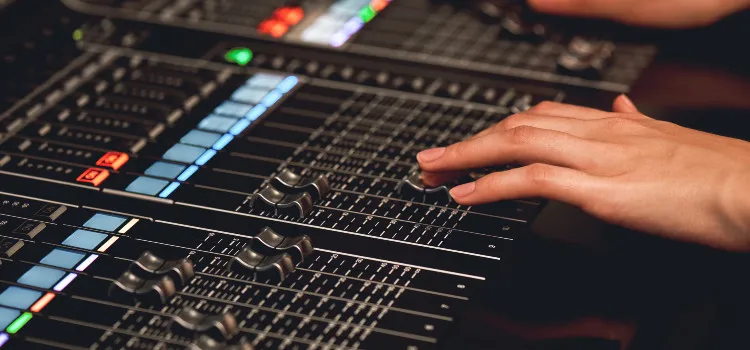
Unlike a single-purpose pedal, Ableton Live is a complete recording, editing, mixing, and mastering environment. Its Session View was built specifically for launching and layering loops on the fly, which is why so many electronic and hybrid acts use it for live looping as well as studio work.
The trade-off is that it lives on a computer and expects you to drive it with a mouse, keyboard, or a MIDI controller.
The Main Difference
The main difference between Ableton Live and a loop pedal is depth. A loop pedal mainly plays back what you perform live, while Ableton Live lets you build, edit, and arrange entire songs from the ground up.
In other words, if you want to write and produce a finished track, Ableton Live gives you the tools to do it. But if you just want to stack a few parts and play over them with no computer in sight, a loop pedal does that job faster and with far less setup.
Creating a Loop With a Loop Pedal
The first step with a loop pedal is to set your tempo and get your guitar tone dialed in. Once you’re ready to play, you create a loop by pressing the record footswitch and playing your part.
When you’ve finished the phrase, you tap the footswitch again to close the loop, and it immediately starts repeating. From there you can keep adding overdubs on each pass, or hit stop to clear it and start over.
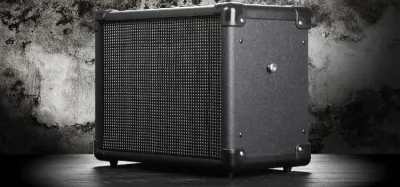
Many players keep the workflow simple by setting up a looper pedal with an amp so the whole rig is plug-and-play.
Creating a Loop With Ableton Live
Creating loops in Ableton Live is a great way to develop ideas into full arrangements. Plug your guitar into an audio interface, arm a track, and record a clip into a slot in Session View.
Once the clip is recorded, you can trim its length, quantize the timing, change the tempo without affecting the pitch, and trigger it alongside other clips to build a scene. You can also stack effects on each track and rearrange the whole song later, which is something no standalone pedal can match.
The cost is time at the screen rather than time on your feet.
Pros and Cons of a Loop Pedal
Pros
- You control everything hands-free with your foot, so you can keep playing.
- It’s fast and intuitive to use, with almost no setup.
- Hardware loopers are generally cheaper than a full DAW rig.
- No computer is required, which makes it reliable on stage.
Cons
- Footswitch timing takes practice, and long sets can tire your feet.
- Basic pedals struggle with long, complex arrangements.
- Editing is limited, so you mostly record, overdub, or clear.
Pros and Cons of Ableton Live
Pros
- It’s deceptively easy to start with once the basics click.
- It lets you produce complete music on your computer, not just loops.
- You get full editing, effects, tempo control, and arrangement tools.
- Session View is purpose-built for launching and layering loops.
Cons
- The interface can feel overwhelming for beginners.
- You need a computer and an audio interface to use it with guitar.
- A laptop on stage adds a point of failure compared to a pedal.
How a Loop Pedal and Ableton Live Compare
So we’ve looked at how each one works and where it shines. Let’s talk about how they stack up against each other.
For speed and simplicity, the loop pedal wins easily. You can pull it out of a gig bag, tap a switch, and be looping in seconds with no screen to stare at.
That’s exactly why it dominates solo street and stage performances. Our roundups of the best looper pedal and the best looper pedal for live performance are good places to start if that sounds like you.
For depth and editing, Ableton Live is in another league. It can do everything a loop pedal does and then keep going into recording, mixing, and full song production.
If your goal is to turn loops into finished tracks, the DAW is the clear pick.
On cost and reliability, the two split the difference. A pedal is a one-time purchase that just works, while Ableton Live requires a computer and an interface but gives you a near-unlimited toolkit in return.
The right answer comes down to whether you value live simplicity or studio power. For a deeper dive into the hardware side, see our ultimate guide to loop pedals.
Frequently Asked Questions
Can you use a loop pedal with Ableton Live?
Yes. Many guitarists run a hardware looper for live feel and capture the results into Ableton Live for editing.
You can also use a foot controller to trigger clips in Session View, giving you the hands-free benefit of a pedal with the depth of the DAW.
This hybrid approach is popular with players who write on a pedal but produce on a computer.
Is Ableton Live overkill for a beginner guitarist?
If your only goal is to stack a couple of parts and jam over them, then a loop pedal is the simpler and cheaper starting point. Ableton Live shines once you want to record, edit, and arrange full songs.
Many beginners start with a pedal and move to a DAW later as their ambitions grow.
Which is better for live looping on stage?
A loop pedal is usually the better choice for the stage because it’s rugged, foot-controlled, and doesn’t depend on a laptop that could crash mid-set. It lets you keep both hands on the guitar throughout the performance.
Ableton Live can absolutely be used live, but it adds setup time and a computer that needs to stay stable.
Do you need a computer to use a loop pedal?
No. A standalone loop pedal runs entirely on its own hardware, so you can play with nothing more than your guitar, an amp, and the pedal.
That self-contained design is one of its biggest advantages over a DAW.
Ableton Live, by contrast, always needs a computer and an audio interface to record your guitar.
Final Thoughts
If you mainly want to perform, jam, or build ideas on the fly without touching a screen, a loop pedal is the easier and more affordable place to start. It keeps your hands on the guitar and your feet in control.
If you want to take those loops further into recording, mixing, and finished songs, Ableton Live gives you a depth that no single pedal can match. The learning curve is steeper, but so is the ceiling.
For many guitarists the honest answer is both. A pedal handles the live moment and the spark of an idea, while Ableton Live turns that idea into a polished track later.
Pick the tool that fits where you’re now, and you can always add the other as your playing grows.